
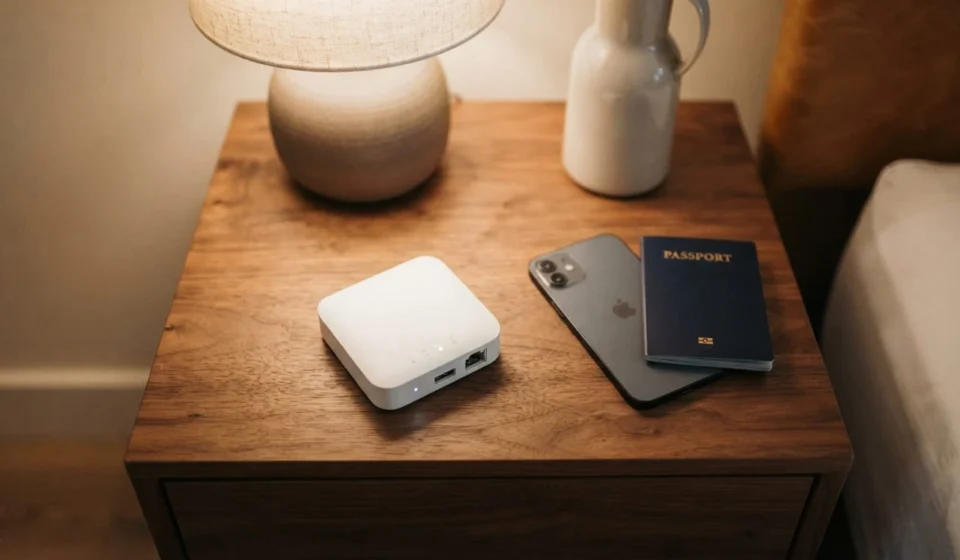
A travel router is a small, portable device that takes an existing internet connection, wired or wireless, and turns it into one private Wi-Fi network for all your devices. Instead of logging into hotel or airport Wi-Fi separately on your phone, laptop, and tablet, you log in once through the router, and everything connects automatically.
How A Travel Router Works
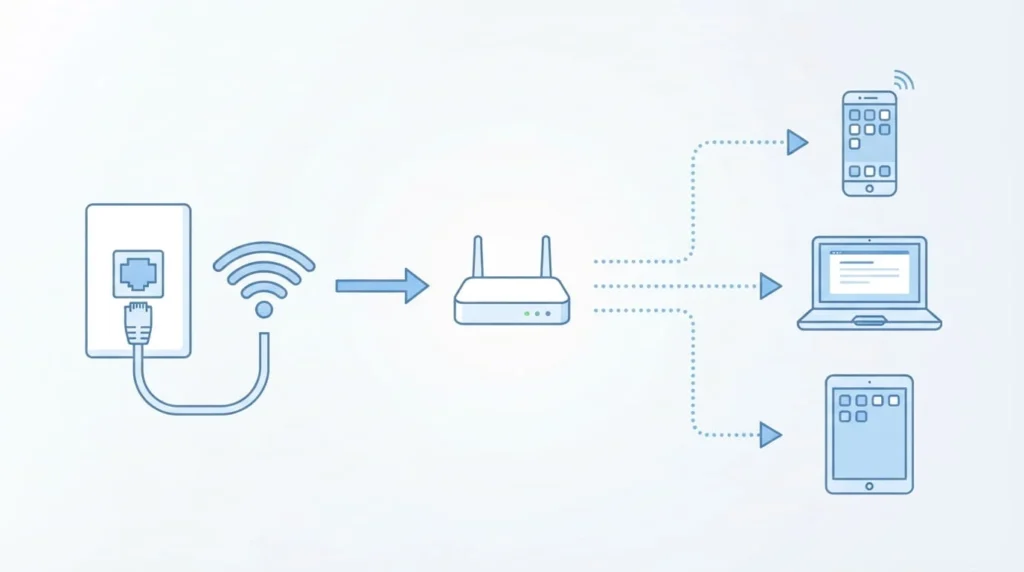
Most travel routers weigh under 100 grams and fit in a jacket pocket or the side pocket of a laptop bag. You plug the router into a hotel’s Ethernet port, or connect it to an existing Wi-Fi network, or in some models, insert a SIM or eSIM to pull data straight from a cellular network. The router takes that single connection and rebroadcasts it as its own Wi-Fi network, with its own name and password. Compact travel routers take up almost no room inside the best carry-on luggage for international travel.
From that point on, every device you own joins the router’s network the same way it would join your home Wi-Fi. The router handles the original login, whether that’s a hotel captive portal, a coffee shop terms-of-service page, or a cellular data plan. Your phone, laptop, tablet, and any streaming stick just see one familiar network and connect without repeating the process.
Travel Router Vs Mobile Hotspot Vs Wi-Fi Extender
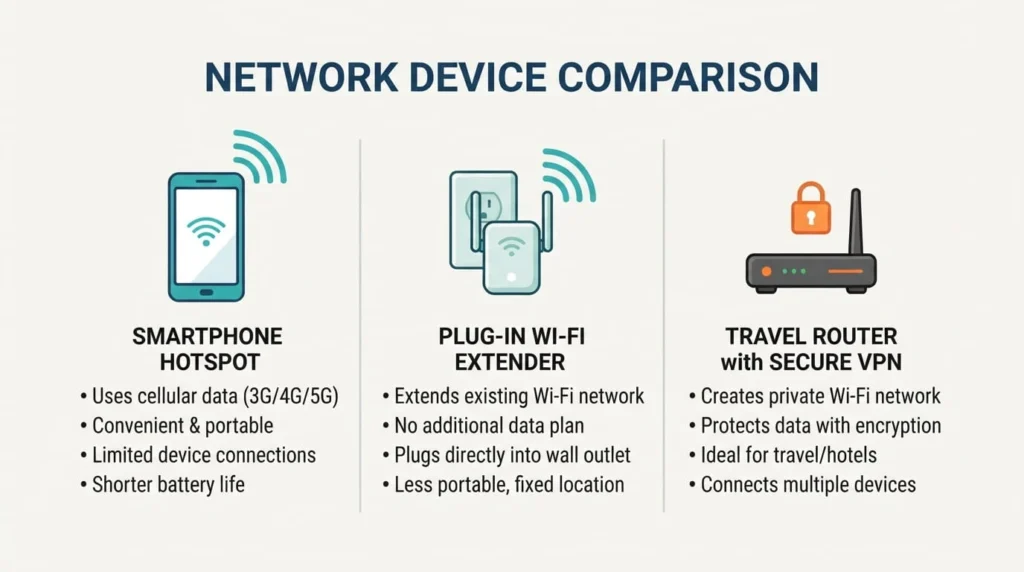
These three get confused often, but they solve different problems. A mobile hotspot, built into most phones, shares your phone’s cellular data with nearby devices. It works anywhere you have signal, but it drains your phone’s battery and usually caps out at a handful of connections before performance drops.
A Wi-Fi extender repeats an existing wireless signal to reach further into a room. It does not create a separate private network, so anyone else on the original network can still see and reach your devices.
A travel router sits between the two. It can take a wired connection, an existing Wi-Fi signal, or in some cases a SIM card, and turn any of them into a private, password-protected network that isolates your devices from everyone else on the source network. That isolation is the main reason people choose a travel router over just using their phone as a hotspot.
Why People Use A Travel Router
1:Fewer Logins, Less Hassle
Many hotels and public networks use a captive portal, the login screen asking for a room number or email before you get online. Without a travel router, you complete that screen on every device. With one, you complete it once, on the router, and every connected device gets online automatically.
2:A Private Network On Public Wi-Fi
Public Wi-Fi means sharing a network with strangers, and other guests can sometimes see or reach devices on the same network. A travel router creates a separate subnet, so your laptop and phone are only visible to each other. Some models also support VPN protocols like OpenVPN or WireGuard directly on the router, encrypting traffic for every connected device without a VPN app on each one.
Reaching A Weak Signal
Hotel rooms at the far end of a hallway often get a weak Wi-Fi signal. A travel router set to range extender mode can pick up that signal and rebroadcast it locally, which usually gives a more stable connection than using the hotel’s weak signal directly.
What To Look For Before You Buy
Operating Modes
A router that only does one thing is limiting. Look for a device that supports router mode, access point mode, repeater mode, and hotspot or tethering mode, since you will not always have the same type of connection at every stop.
VPN Support
If you handle work email or anything sensitive while traveling, a router with built-in VPN support saves you from configuring a VPN app on every device you own.
A Wired WAN Port
Not every hotel room has usable Wi-Fi, but many still have an Ethernet port behind the desk or nightstand. A wired WAN port gives you a backup option when the wireless signal is unreliable.
Power Options
USB-C power means you can run the router from the same charger you already carry. A built-in battery is a bonus for airports and trains. Reviewers who have tested battery-powered travel routers report roughly 8 to 10 hours of runtime on a single charge, enough for a full workday or a long-haul flight.
Setting Up A Travel Router For The First Time
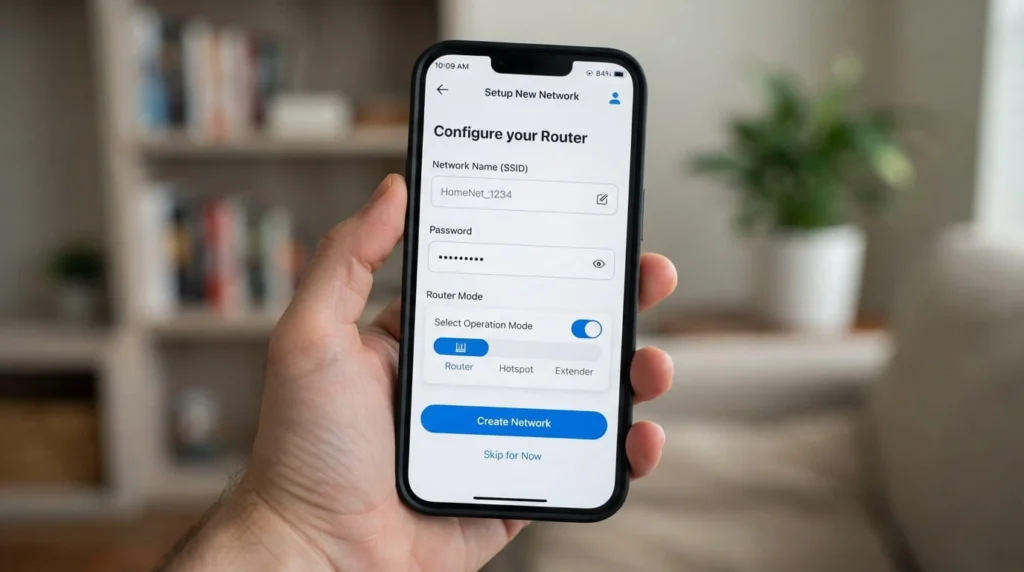
The first setup usually takes a few minutes. Plug the router into power, then connect to its default Wi-Fi network using the password printed on the device. Open the router’s app or its web interface, typically reached at an address like 192.168.1.1. Enter the hotel or public network’s login details, or plug in an Ethernet cable if one is available. Then set your own network name and password for the private Wi-Fi the router will broadcast. After that first setup, most routers remember the settings, so returning to the same type of network later is close to instant.
Where A Travel Router Actually Helps
Hotels and vacation rentals (such as during a trip following these Scotland travel tips) are the most common use case, especially when a property limits devices per room or charges per device for Wi-Fi. Coffee shops and airport lounges benefit from the added privacy layer. Families traveling with kids’ tablets and a streaming stick avoid re-entering passwords on every screen. RVs and long-term road trips use a travel router to combine a campground’s Wi-Fi or a phone’s cellular signal into one stable network for the whole vehicle. Long layovers are another practical case, where a router can turn a single paid airport Wi-Fi session into coverage for a laptop, phone, and tablet at once.
What A Travel Router Costs
Basic nano travel routers without a battery or VPN support typically sell in the $25 to $35 range. Mid-range models with VPN support and multiple operating modes generally run $40 to $60. Newer Wi-Fi 6 and Wi-Fi 7 travel routers with faster speeds and multi-gigabit ports cost more, often upward of $80 depending on the brand. Prices shift often and vary by retailer, so treat these as general ranges rather than fixed numbers.
A travel router is not a requirement for every trip. If you rarely travel with more than one device, you may not need one. But if you travel with multiple devices, care about privacy on public networks, or deal with weak hotel signal often, the setup time pays for itself on the first trip.
Frequently Asked Questions (FAQs)
Do I need a SIM card for a travel router?
No. Most travel routers work by connecting to an existing wired or wireless network, so a SIM card is not required. Some models do accept a SIM or eSIM as an extra option, which lets the router pull its own cellular data instead of relying on hotel or public Wi-Fi.
Is a travel router the same as a Wi-Fi extender?
Not exactly. A basic extender just repeats an existing signal without creating a separate private network. A travel router can do that too in extender mode, but it can also create its own isolated network, handle a wired connection, and run a VPN.
Can a travel router work without an Ethernet port?
Yes. Most travel routers can connect to an existing Wi-Fi network wirelessly, usually called client or hotspot mode, so a wired port is helpful but not required.
How many devices can one travel router support?
This varies by model, but most consumer travel routers comfortably support somewhere between 10 and 30 connected devices, which is far more than most travelers need on a single trip
Is a travel router worth it for occasional travelers?
If you travel only once or twice a year with a single device, the convenience may not be worth the extra item to pack. For anyone traveling with multiple devices, working while away from home, or prioritizing privacy on public Wi-Fi, most people find the setup time worth the trade-off after the first use.
A travel router will not make hotel internet faster than it already is, and it will not fix a network that is down. What it does is take whatever connection is available, wired, wireless, or cellular, and turn it into one private network that every device in your bag can join with a single login.
Planning your itinerary connects smoothly with airline carry-on size limits.